You're not lazy. You're stuck at the start.
A planner built for brains that lose time, stall on big tasks, and need permission to start messy. No streaks to break. No shame if you skip a day.
Get instant access — $19 or try one page free first →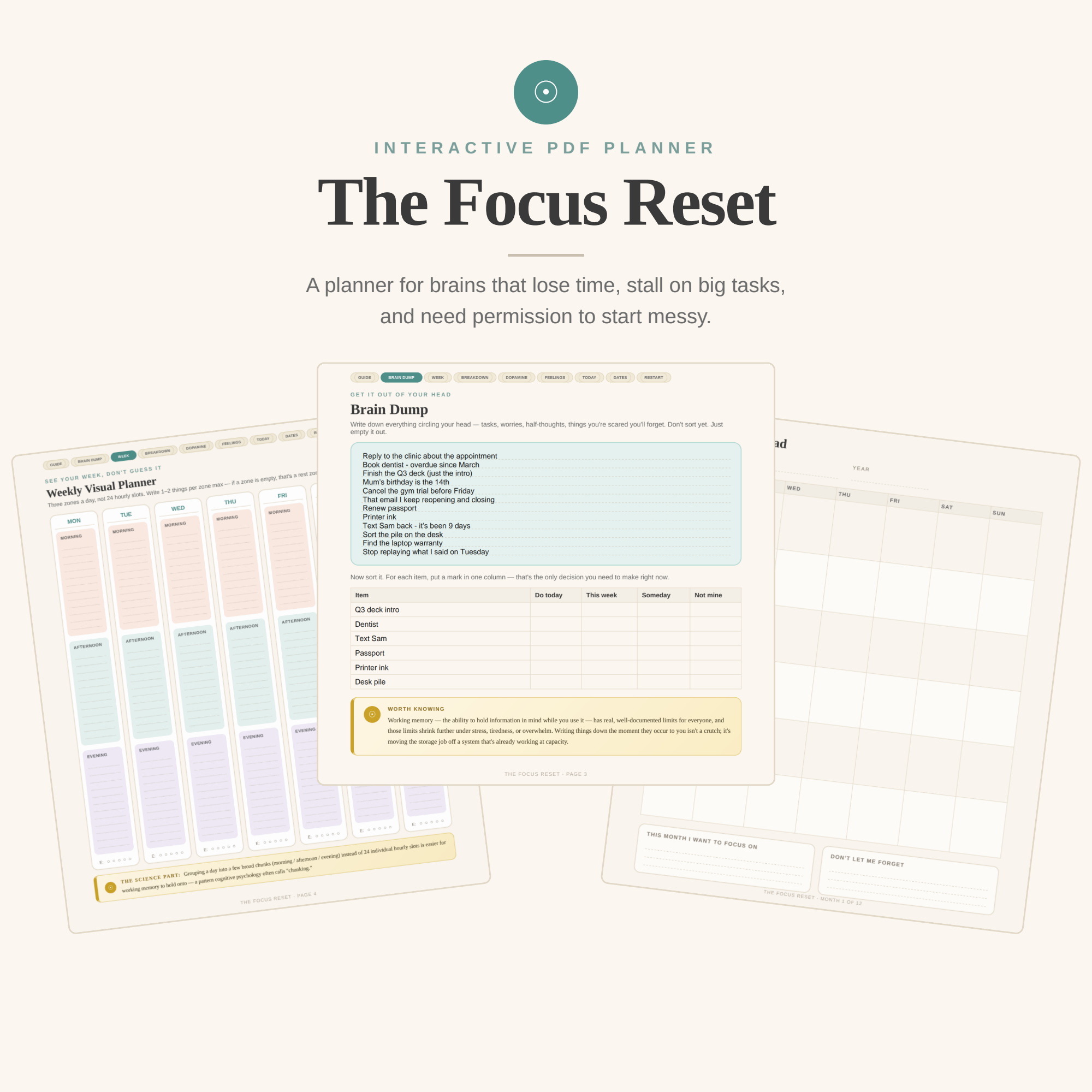
The problem was never that you don't care.
Most planners assume the problem is organisation. Usually it isn't. Procrastination research consistently finds it's closer to an emotion problem — when something feels boring, vague or overwhelming, the brain avoids the feeling, not the task. So this planner is built as a set of small, single-purpose pages you open when you're stuck, instead of one rigid daily format you're supposed to keep up with.
84 pages, and you only use what helps
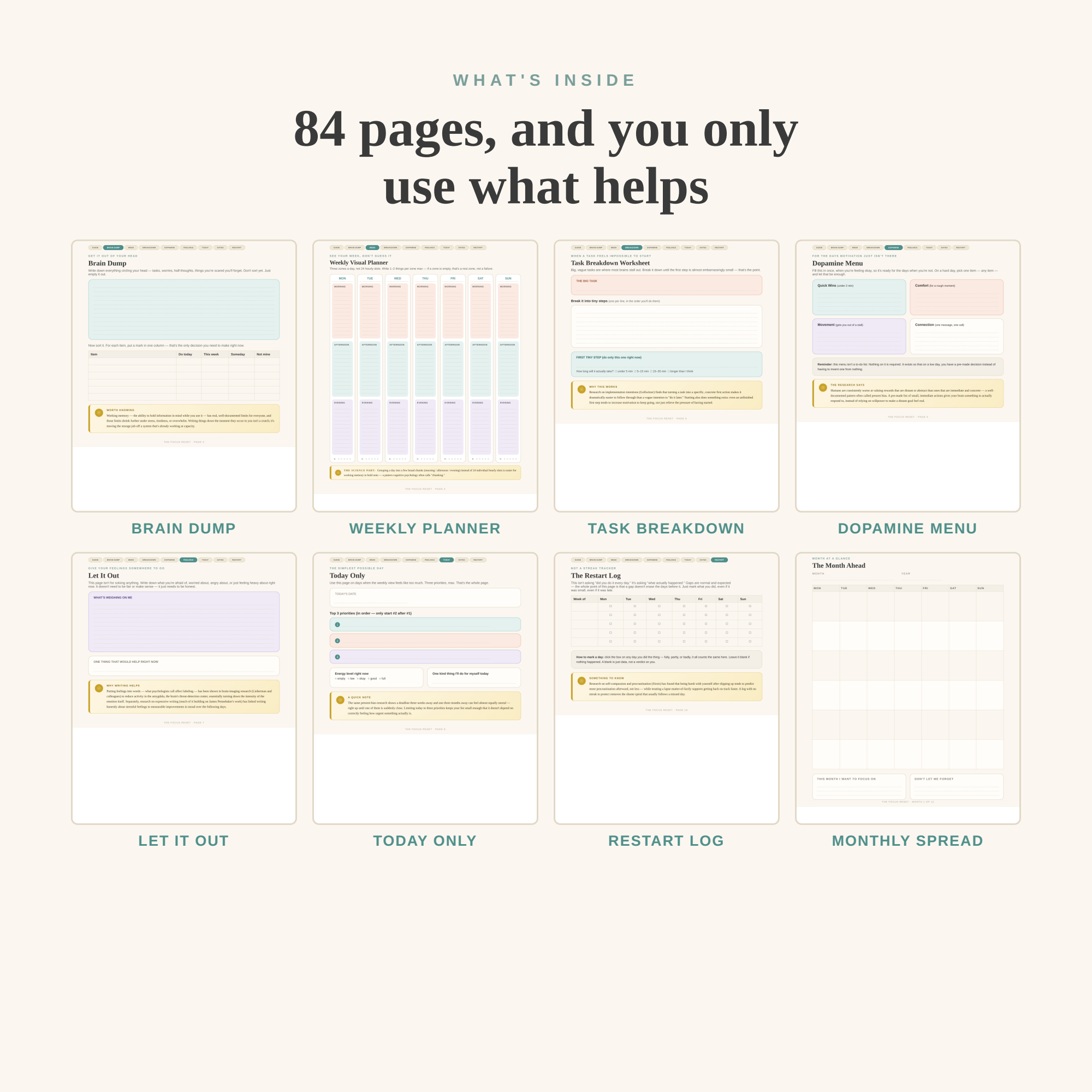
- Brain DumpEmpty your head onto one page, then sort each item with a single mark.
- Weekly Visual PlannerThree zones a day instead of 24 hourly slots.
- Task BreakdownCut one impossible task down until the first step is embarrassingly small.
- Dopamine MenuFilled in on a good day, so a bad day is a choice instead of a decision.
- Let It OutSomewhere to put the worry that's actually blocking you.
- Today OnlyThree priorities. That's the whole page.
- Deadlines & AppointmentsEverything with a date, in one place.
- The Restart LogNot a streak tracker. Gaps don't erase the days before them.
Type straight into it
Most "digital planners" are images you write on. This one has real, working text fields on every line. Click, type, press Tab to move to the next line, and save — your writing lives inside the file.
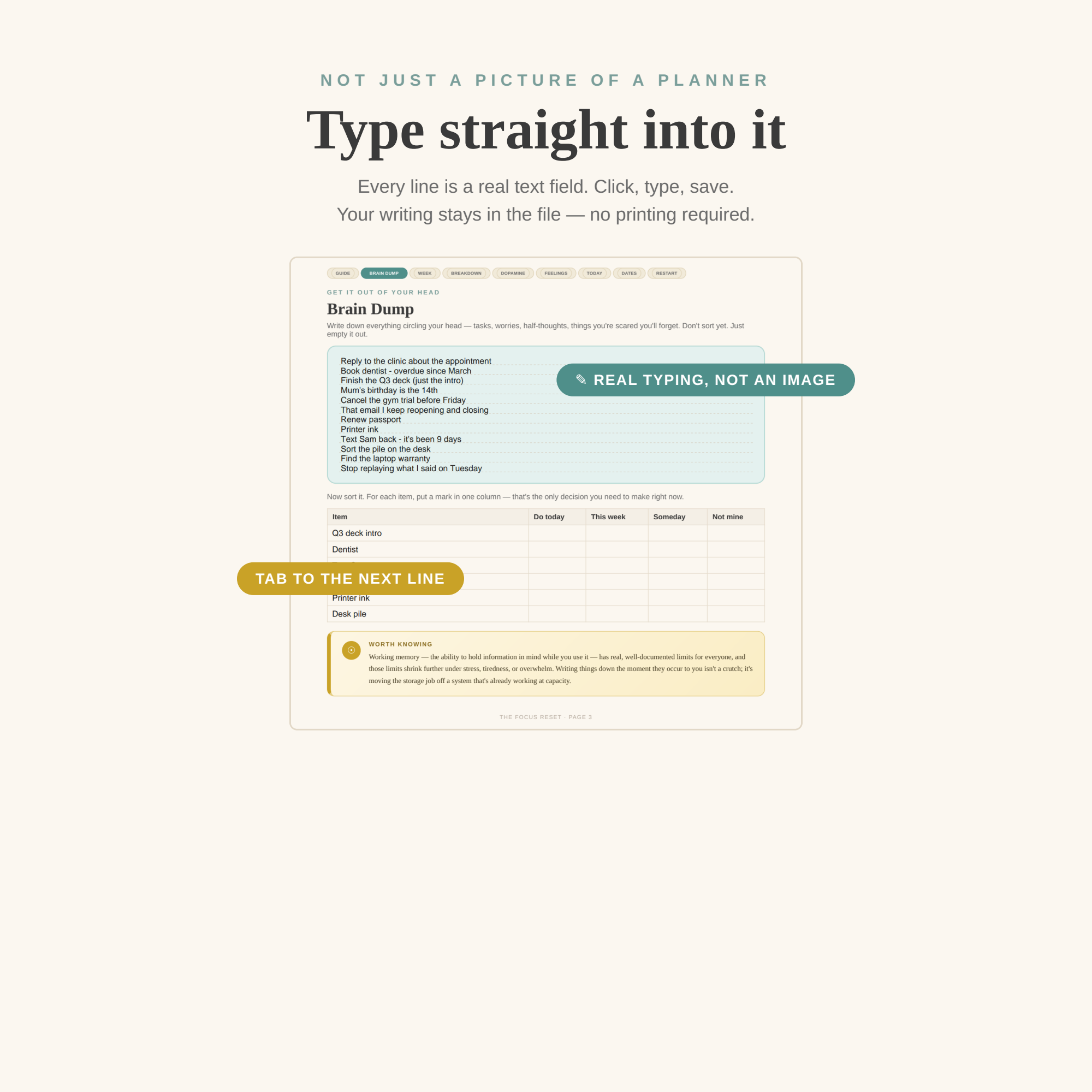
- Every line is a real form field — not a picture
- Tab from line to line without clicking
- Saves inside the PDF and reopens exactly as you left it
Computer, tablet, or paper
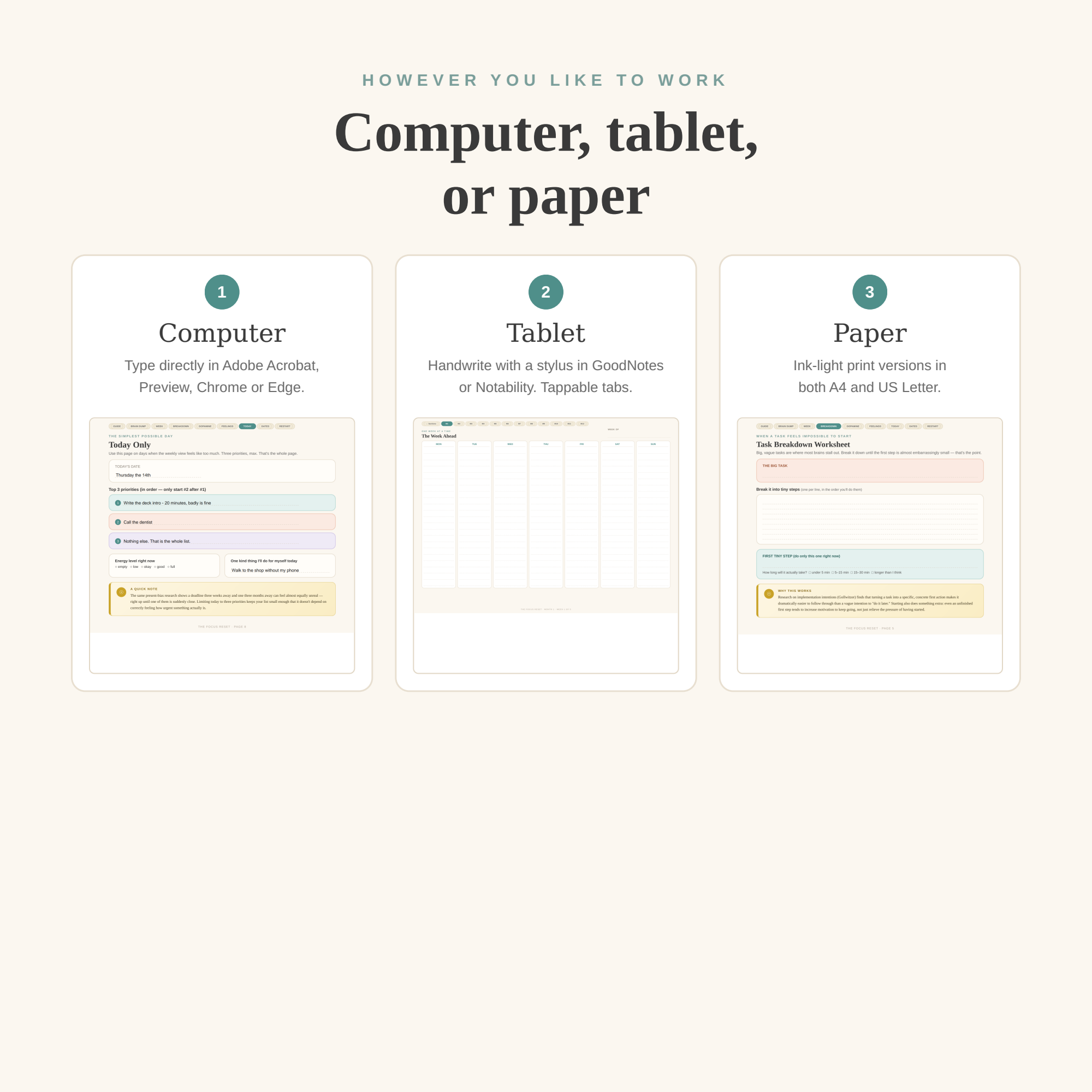
Computer
Type directly in Adobe Acrobat, Mac Preview, Chrome or Edge.
Tablet
Handwrite with a stylus in GoodNotes or Notability. Tappable tabs jump between sections.
Paper
Ink-light print versions included in both A4 and US Letter.
A note on tablets: GoodNotes and Notability ignore PDF text fields by design, so on those apps you handwrite with a stylus rather than type. The tablet edition is built exactly for that — bigger lines and tappable tabs. If you want to type, use the computer version.
Built on how attention actually behaves
Working memory has real, well-documented limits, and those limits shrink further under stress or tiredness. Writing things down isn't a crutch; it moves the storage job off a system already at capacity.
Research by Gollwitzer finds that turning a task into a specific, concrete first action makes follow-through dramatically more likely than a vague intention to do it later.
Putting feelings into words has been shown in brain-imaging research (Lieberman) to reduce amygdala activity — turning down the intensity of the emotion itself.
Research on procrastination (Sirois) finds that being harsh with yourself after slipping up predicts more procrastination, not less. Hence a log with no streak to protect.
Eight files, so it works the way you do
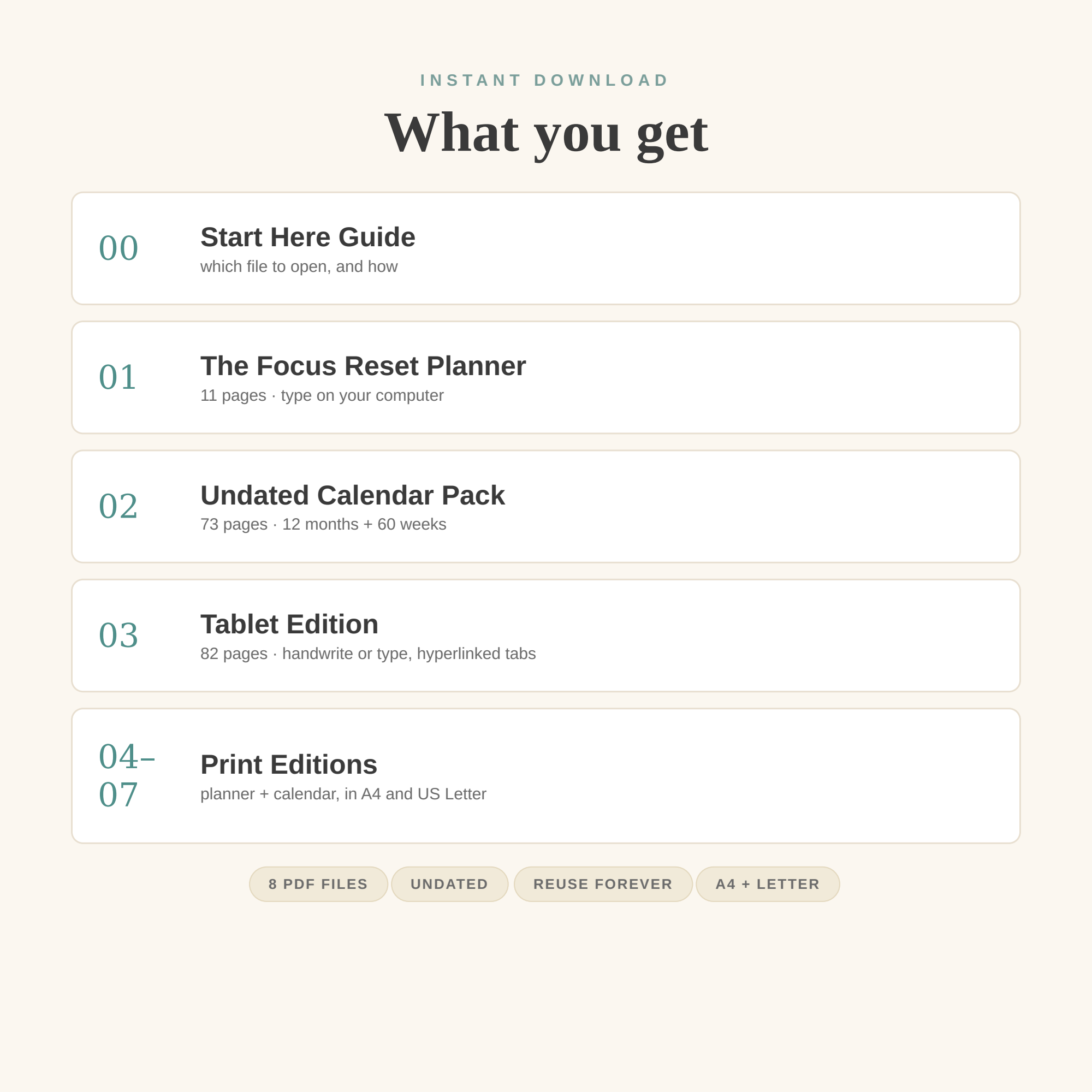
- 00 Start Here Guide — which file to open, and how
- 01 The Focus Reset Planner — 11 pages · type on your computer
- 02 Undated Calendar Pack — 73 pages · 12 months + 60 weeks
- 03 Tablet Edition — 82 pages · handwrite or type, hyperlinked tabs
- 04–07 Print Editions — planner + calendar, in A4 and US Letter
Start with one page.
You don't have to finish this planner to get value from it. Use one page, out of order, on a bad Tuesday. That's what it's for.
One-time payment · Instant download · Yours forever
Get The Focus Reset or start with one free page → Undated, so it never expires. Reuse it every year.FAQ
Is this a physical product?
No — it's an instant digital download. You'll get 8 PDF files immediately after purchase. Nothing ships.
Can I type into it, or do I have to print it?
Either. Every line is a real text field, so you can type directly in Adobe Acrobat, Mac Preview, Chrome or Edge. Ink-light print versions are included if you prefer paper.
Does it work in GoodNotes?
Yes, for handwriting. GoodNotes and Notability ignore PDF text fields, so you write with a stylus rather than type — the included tablet edition is designed for exactly that, with larger lines and tappable tabs.
Is it dated?
No. It's completely undated, so you can start in March, start on a Wednesday, and use it again next year.
What if I miss days?
That's expected, and it's the reason the Restart Log exists instead of a streak tracker. A gap doesn't erase the days before it.
Does it work on Windows and Mac?
Both, plus iPad and Android tablets. Any PDF reader will open it.
Can I get a refund?
Because it's an instant digital download, all sales are final — but if something isn't working, email me and I'll fix it.